
July 19, 2026 · active
Inkframe
iPad app. Sketch a screen with the Pencil, mark up what you mean, and get a mid-fi design back in your product's own design language. Testing whether a photo of a sketch is a good enough brief.
Why this exists
The fastest brief I ever gave Claude Code was a pencil sketch. I drew a screen on paper, photographed it, dropped the photo in, and got a working layout back. It worked well enough that I kept doing it. Then I got tired of the photo step.
Inkframe removes the photo. You draw on an iPad, the sketch goes straight to the model, and the design comes back onto the same canvas next to your ink.
What it looks like
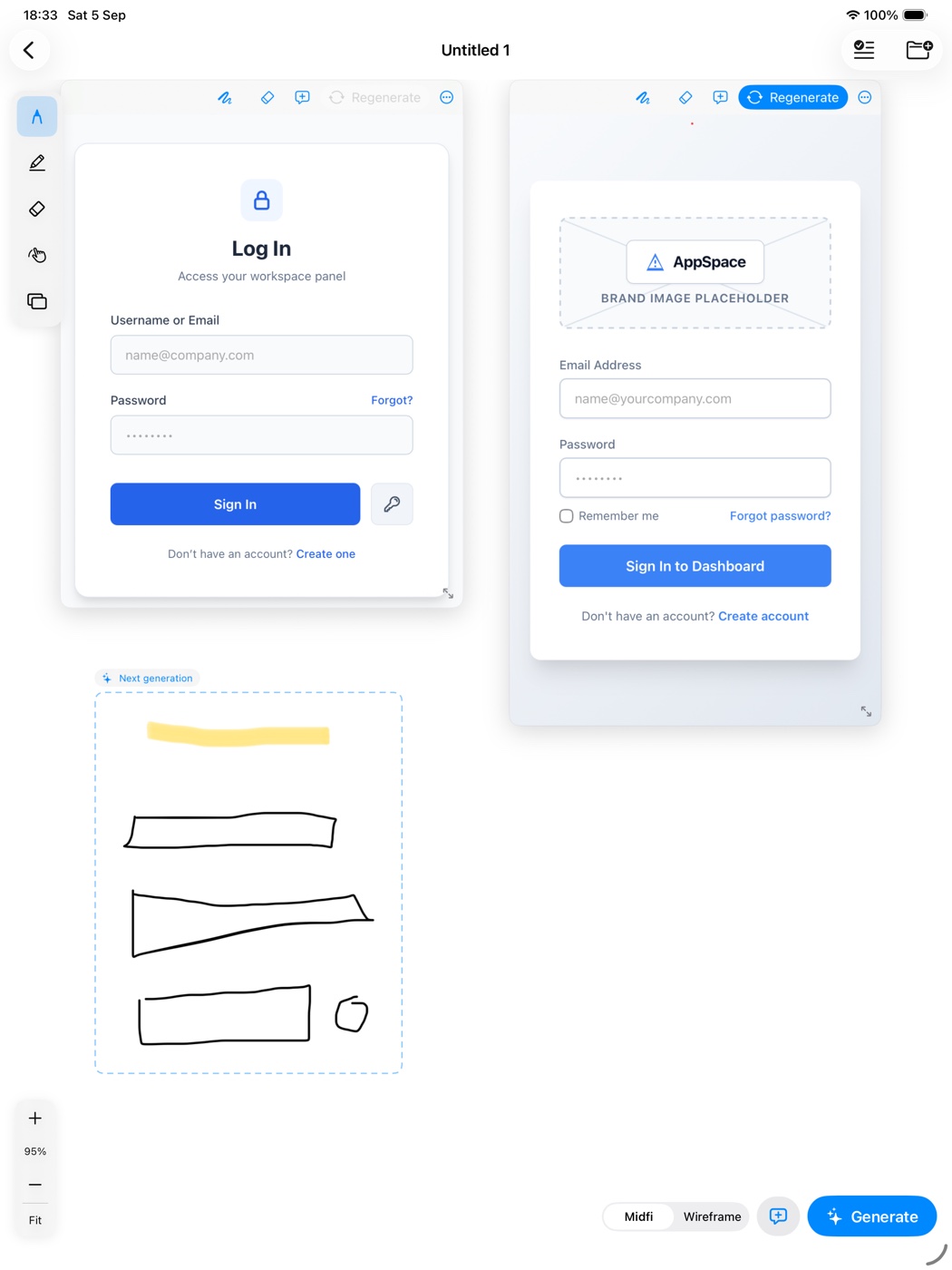
The loop
Sketch. Draw UI structure with the Pencil on a large pan and zoom canvas. Drop a device frame first if you want the model to know the target platform. Handwriting outside the frame is treated as notes for the model, never rendered as UI.
Add intent. Highlight handwriting to promote it to an instruction. Long-press with a finger to label a region (“nav sidebar”). Add screen-level instructions by typing or dictating.
Generate. The sketch, the labels, and an optional workspace context go to Anthropic or OpenRouter. A frame appears immediately and the design streams in. A toggle switches between mid-fi and wireframe.
Redline. Draw on the generated frame with the Pencil and tap Regenerate. Changes apply to that frame only. Every version keeps the redline ink that produced it, so the history explains itself.
Workspace context
Attach a folder with a design system description, a product context file, and up to ten screenshots of the live product. The output then uses your tokens, your components, your vocabulary. No folder attached, you get a clean generic mid-fi.
The rule that makes it work
Pencil always draws. Finger always selects, drags, and labels. No mode toggle. That one constraint removed most of the UI I had first designed for it.
Stack
Swift, PencilKit, SwiftUI, Anthropic Messages API, OpenRouter. Keys live in the device Keychain. No backend, no accounts.